Switching the printer to continuous (no gap) mode
In order to set the printer to continuous mode, use the Q command.
- From a command prompt type the word "edit"
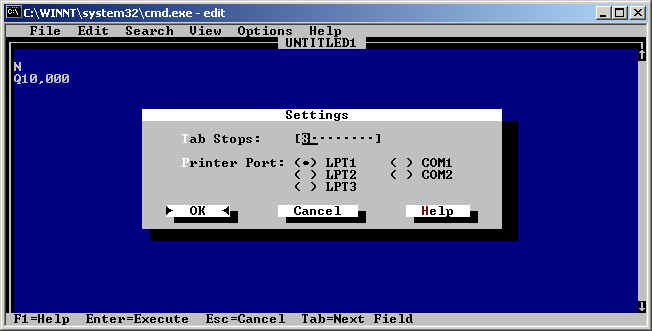
- ALT O brings up the options screen. Go to settings insure the output is
appropriate (LPT1, COM1 etc)
*Note; if using the COM port, you must select the correct port and set the
communication parameters in DOS to match the printer settings. Click
Here for Details.
- Use the following example to enter the EPL commands into the edit window.
N
Q10,000 |
- Make sure that there is a carriage return prior to this N.
- Q10,xxx indicates is that the label length is 10 dots (this is the
length the label will feed after the last line of print.
- Qxxx,000 Indicates the gap is 00 dots long, (continuous
media)
|
*************** Use values that correspond to the customers
label requirement ***************
- ALT F brings up the file menu. Scroll down to print and press enter.
- Insure that "complete document" is checked in the next window
and press the enter key.
- To insure that the printer has received this information, enter the
following into the edit window
- Alt F brings up the file menu. Scroll down to print and press enter
- Insure that "complete document" is checked in the next window
and press the enter key.